windows托管与部署
Windows托管
下载nssm
NSSM (Non-Sucking Service Manager) 是一个 Windows 服务管理工具,主要用于将普通应用程序注册为 Windows 系统服务。
下载地址: https://nssm.cc/download
安装
以下安装Nginx为例,展示如何将应用程序注册服务。.NET程序类似更换指定exe。
在nssm.exe同级目录中打开控制台,输入.\nssm.exe install
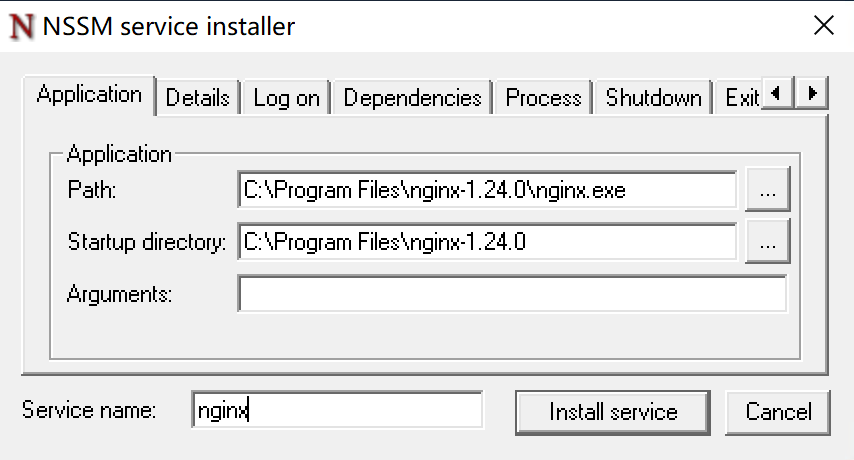
- Path: 程序的路径
- Startup directory:默认带出
- Arguments:可执行程序参数
- Service name:服务的名称
启动
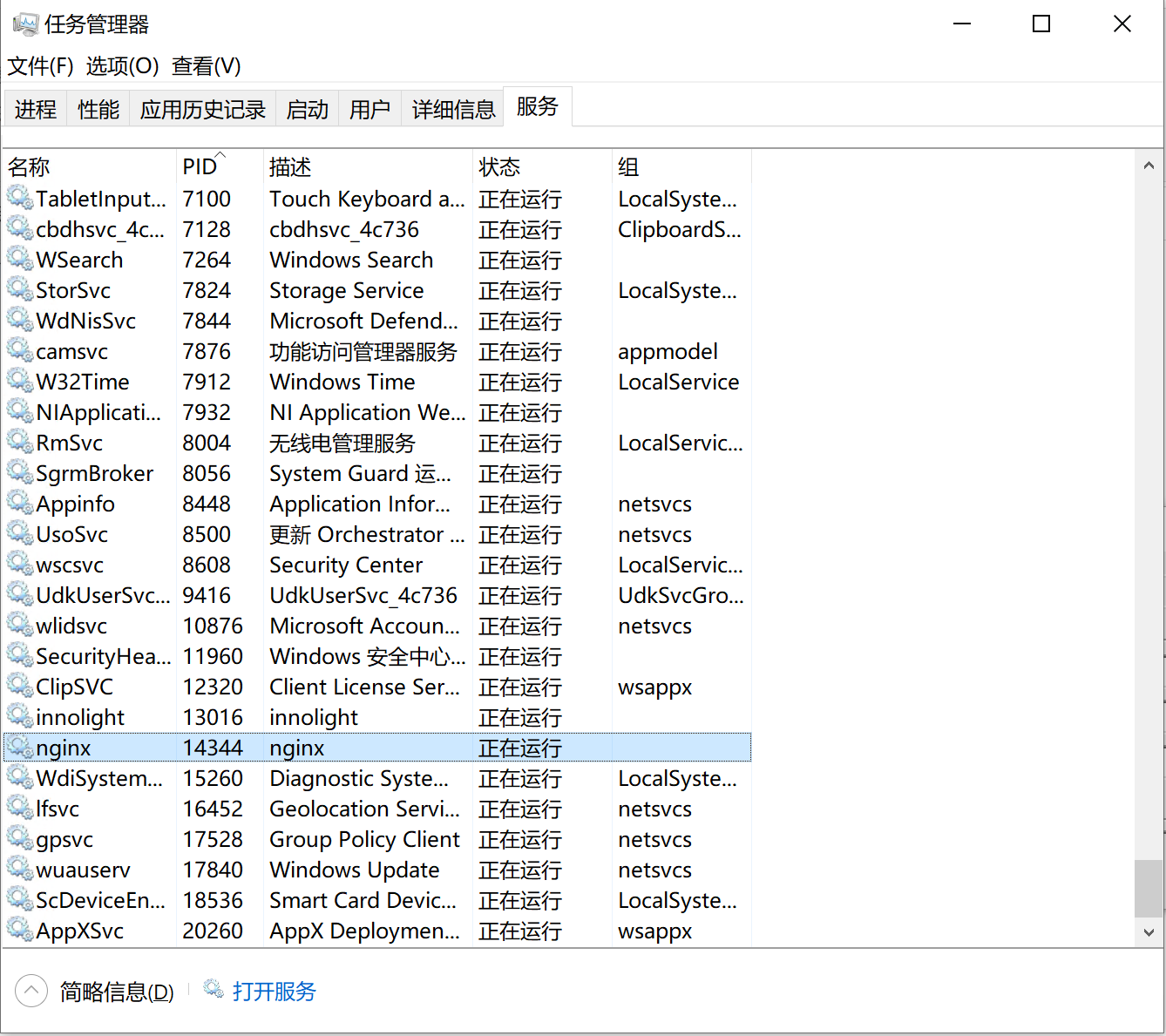
在windows服务中,找到对应得服务,右键启动。
删除
./nssm.exe remove nginx
Web部署
智慧物流系统 的Web使用Blazor WebAssembly ,可以使用使用Nginx独立部署。
Windows
编辑安装目录/conf/nginx.conf
如果Windows系统 nginx.conf 可以使用conf.d方式配置。http 后面添加
include ../conf.d/*.conf;
Linux
/etc/nginx/conf.d/blazor.conf 配置。
配置内容如下:
server {
    listen       8000;
    listen  [::]:8000;
    server_name  _;

    access_log  /var/log/nginx/host.access.log  main;

     # 禁用 blazor.boot.json 的缓存
    location = /_framework/blazor.boot.json {
        root /root/LogiMaster/app/current/wwwroot/;
        add_header Cache-Control "no-cache, no-store, must-revalidate";
        add_header Pragma "no-cache";
        add_header Expires "0";
        try_files $uri =404;
    }

    location / {
        root   /root/LogiMaster/app/current/wwwroot/;
        #使用自己的部署的目录
        try_files $uri $uri/ /index.html =404;
        }

    #error_page  404              /404.html;

    # redirect server error pages to the static page /50x.html
    #
    error_page   500 502 503 504  /50x.html;
    location = /50x.html {
        root   /usr/share/nginx/html;
    }
}
Linux 服务命令
注册服务
systemctl enable nginx
启动服务
systemctl start nginx
重启服务
systemctl restart nginx
地址服务
systemctl stop nginx
查看服务状态
systemctl status nginx
Windows 服务操作
按照Windows托管方式,在服务中启动停止。
Mosquitto Docker安装与使用
1. 创建本地文件夹
在 Windows 上找一个目录(例如 D:\mosquitto)用于存放配置文件、数据和日志。
在 PowerShell 中执行:
mkdir D:\mosquitto\config
mkdir D:\mosquitto\data
mkdir D:\mosquitto\log
2. 创建配置文件
在 D:\mosquitto\config 下新建 mosquitto.conf,内容如下:
# 监听 1883 端口
listener 1883

# 允许匿名访问(测试环境建议开启,生产环境建议关闭并设置密码)
allow_anonymous true

# 数据持久化
persistence true
persistence_location /mosquitto/data/
log_dest file /mosquitto/log/mosquitto.log
3. 启动容器
打开 PowerShell,执行以下命令(镜像版本固定为 2.1.2):
docker run -d `
    --name mosquitto `
    -p 1883:1883 `
    -p 9001:9001 `
    -v D:/mosquitto/config:/mosquitto/config `
    -v D:/mosquitto/data:/mosquitto/data `
    -v D:/mosquitto/log:/mosquitto/log `
    --restart unless-stopped `
    eclipse-mosquitto:2.1.2
4. 常用命令
查看容器状态:
docker ps
查看日志:
docker logs -f mosquitto
停止容器:
docker stop mosquitto
启动容器:
docker start mosquitto
Mysql 数据库备份配置
下载SQLBackupAndFTP
SQLBackupAndFTP是一个windows备份数据的软件。
配置备份
选择数据源
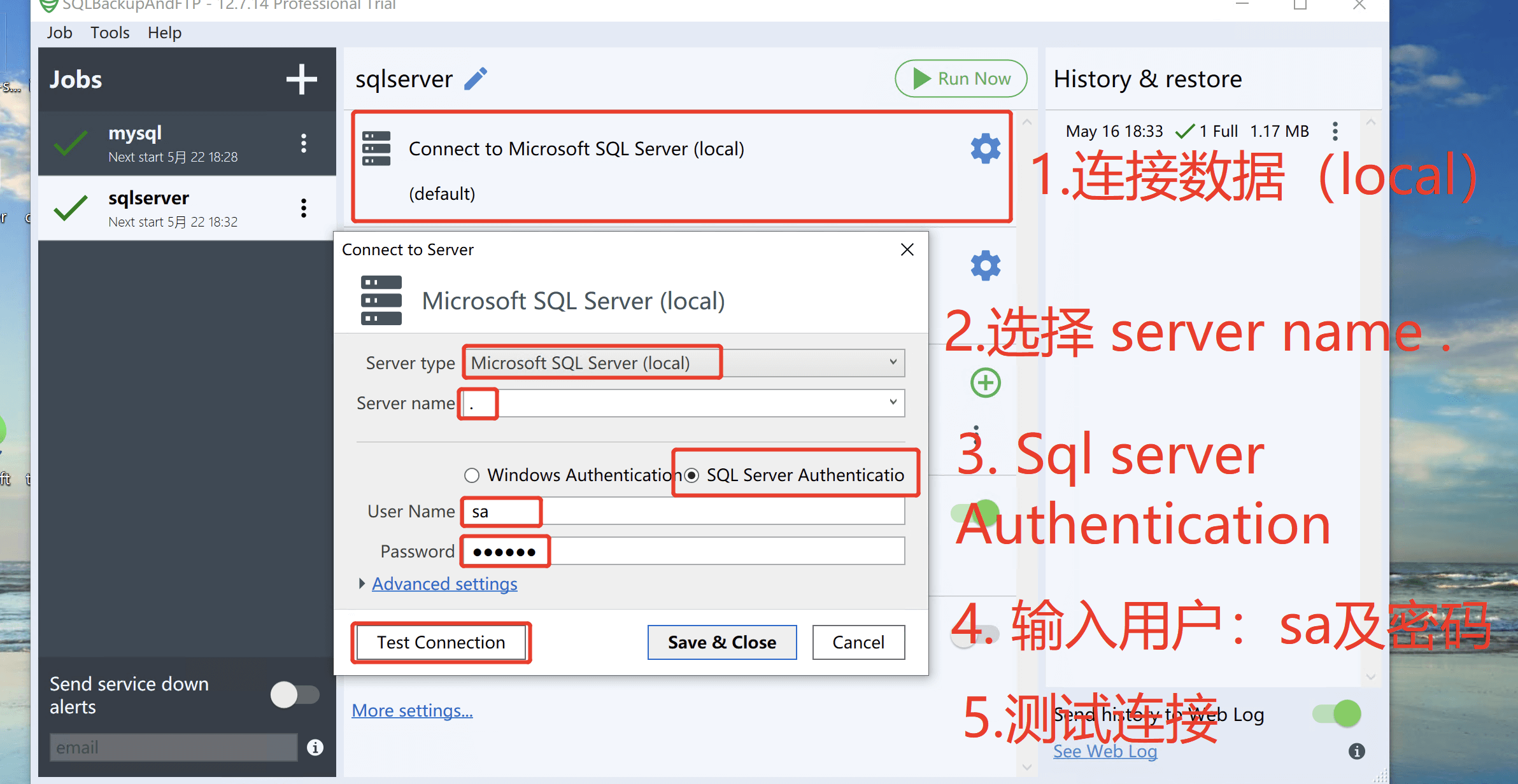
选择数据库
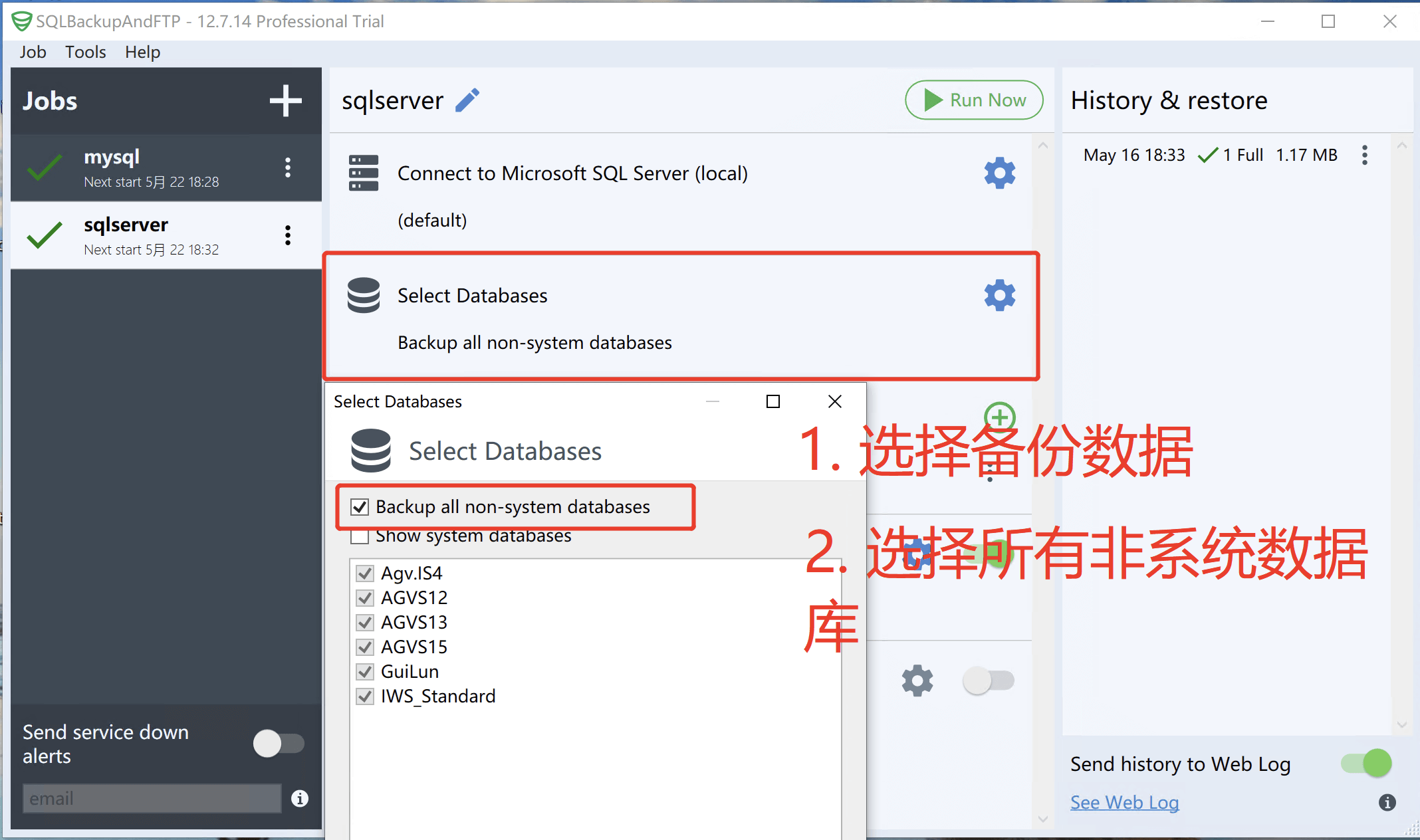
选择备份位置
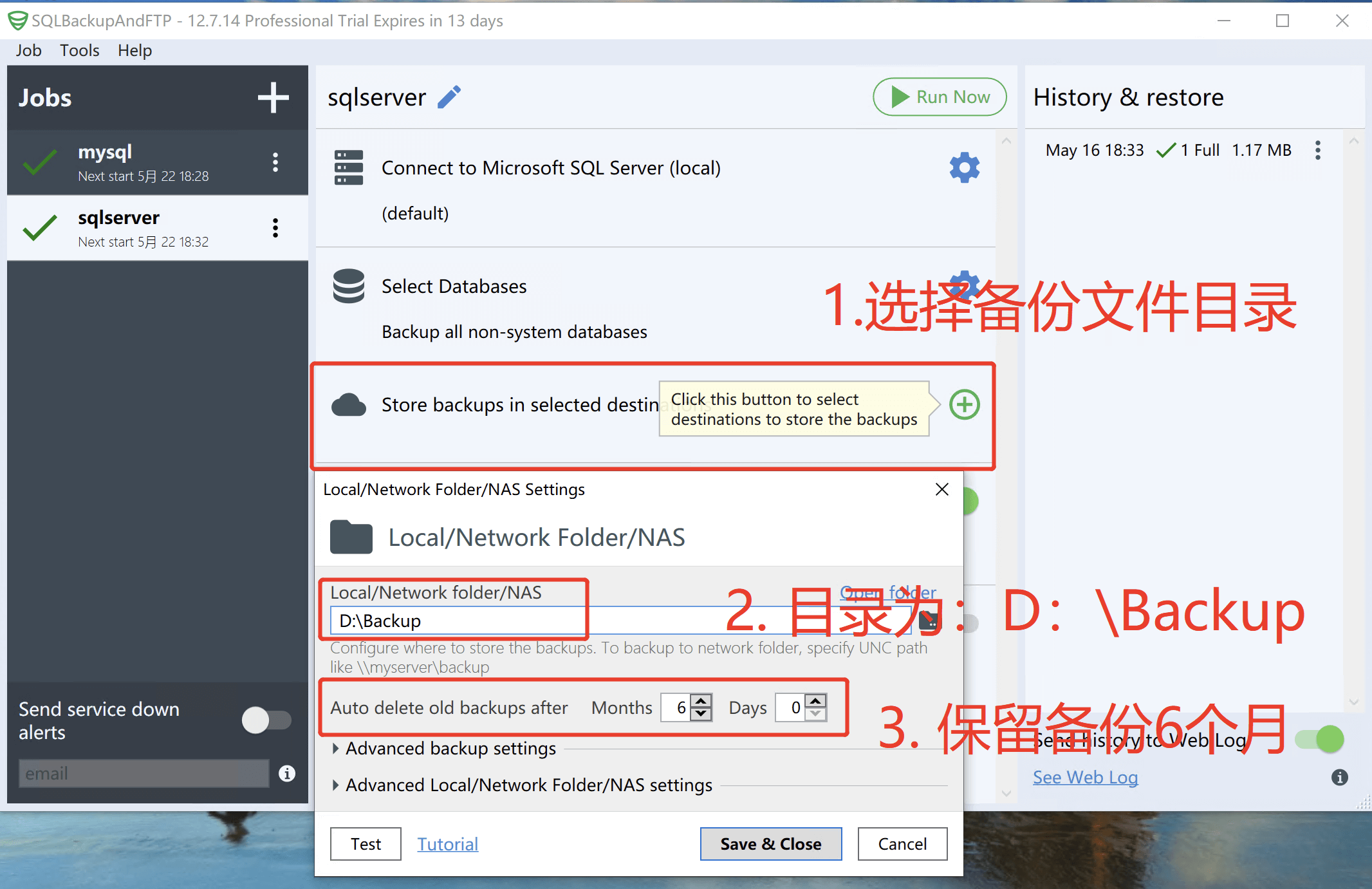
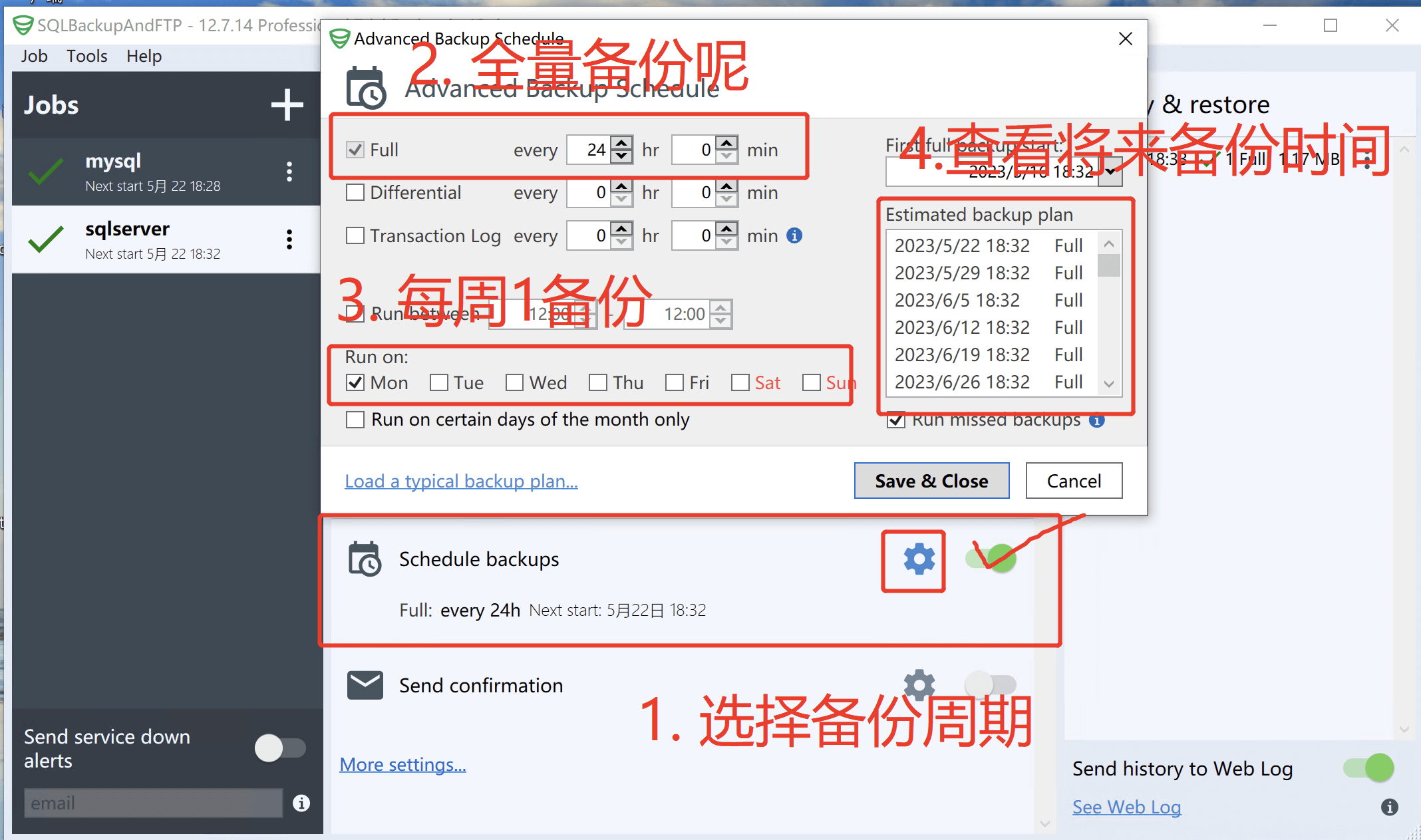
设置备份周期